You've probably heard the word "automation" thrown around a lot lately. Automate your business. Automate your blog. Automate your emails. It all sounds great — until you try to figure out how to actually do it.
That's where n8n comes in.
If you've never heard of n8n before, don't worry. Most people haven't. But once you understand what it is and what it can do, you'll wonder how you ever managed without it.
In this guide, I'll explain exactly what n8n is in plain English — no coding knowledge required, no technical jargon, no confusing diagrams. Just a clear, honest explanation of one of the most powerful tools available to bloggers, freelancers, and small business owners in 2026.
Let's start from the beginning.
WHAT IS N8N?
n8n (pronounced "n-eight-n") is a free, open-source automation tool that connects your apps and services together so they can work automatically — without you having to do anything manually.
Think of it like this: every day you probably do the same repetitive tasks over and over again. You copy data from one app to another. You post the same update to multiple platforms. You send the same type of email response to different people. You check reports and manually update a spreadsheet.
n8n eliminates all of that.
Instead of doing these tasks yourself, you build a "workflow" in n8n — a set of instructions that tells your apps what to do and when to do it. Once the workflow is active, it runs automatically in the background while you focus on more important things.
A few examples of what n8n can do:
- Automatically publish a new blog post to WordPress every morning
- Send you a Slack message whenever someone fills out a form on your website
- Sync new customers from your payment processor into your CRM automatically
- Generate an AI-written report and email it to your team every Monday
- Post your latest blog article to Twitter, LinkedIn, and Facebook at the same time
All of this happens automatically, on a schedule you set, without you lifting a finger.
WHERE DOES THE NAME COME FROM?
The name "n8n" is a numeronym — a word where numbers replace letters. The "8" replaces the eight letters between the first "n" and the last "n" in the word "nodemation." It's the same pattern as "i18n" for internationalization or "k8s" for Kubernetes if you've seen those before.
The full name of the company behind n8n is also n8n GmbH, founded in Berlin in 2019 by Jan Oberhauser. Since then it has grown into one of the most popular open-source automation tools in the world, with over 400 integrations and a rapidly growing community.
HOW DOES N8N WORK?
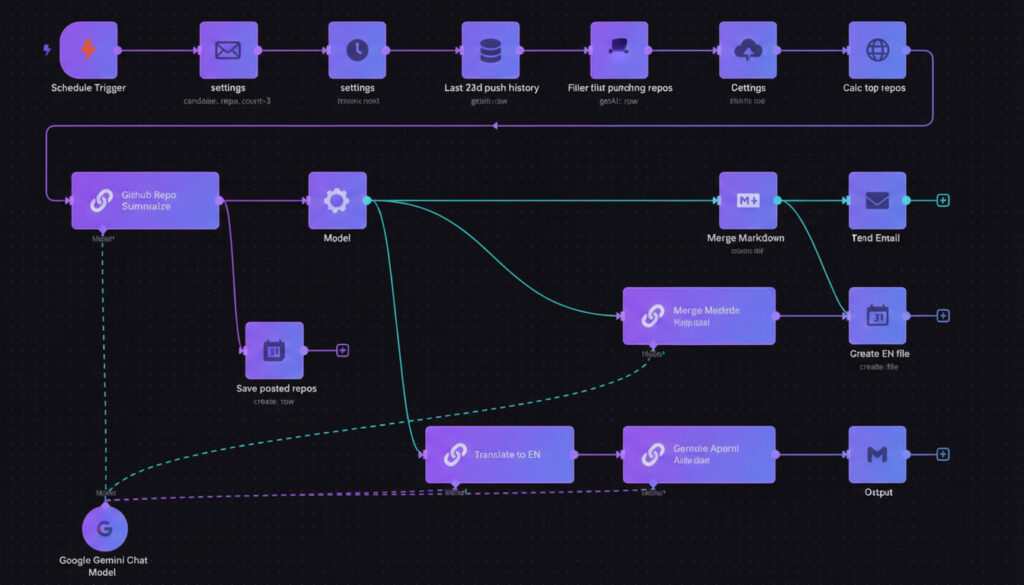
n8n works through a visual drag-and-drop interface. You don't need to write any code (though you can if you want to). Instead, you build workflows by connecting "nodes" together — each node represents one app or one action.
Here is a simple example to make this concrete.
Imagine you want to automatically send a thank-you email every time someone subscribes to your newsletter. In n8n, your workflow would look like this:
[Trigger: New subscriber in Mailchimp]
↓
[Action: Send email via Gmail]
That's it. Two nodes connected together. Whenever node 1 detects a new subscriber, it automatically triggers node 2 to send the email.
Now imagine you want something slightly more complex:
[Trigger: New row added to Google Sheets]
↓
[Action: Generate a blog post with OpenAI]
↓
[Action: Publish post to WordPress]
↓
[Action: Send yourself a notification on Telegram]
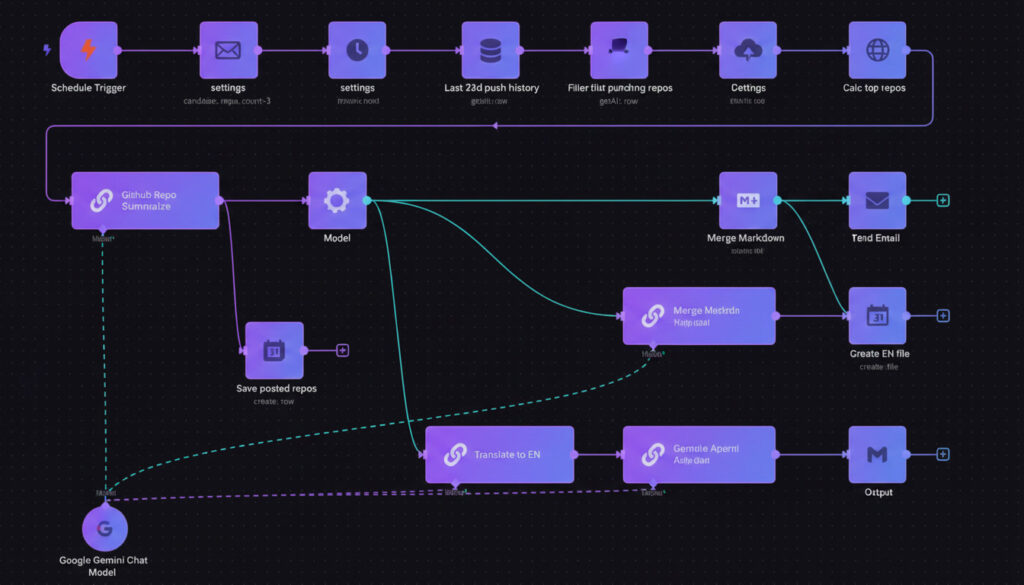
That's still just four nodes. Each one does one specific job. Together, they create a powerful automated content pipeline that would otherwise take you hours to do manually.
This is the core idea behind n8n: you break down any process into small steps, connect those steps visually, and let the machine do the work.
N8N VS ZAPIER VS MAKE.COM — WHAT’S THE DIFFERENCE?
If you've looked into automation before, you've probably heard of Zapier or Make.com (formerly Integromat). They do similar things to n8n. So what makes n8n different?
Three things: price, flexibility, and ownership.
PRICE
Zapier starts free but gets expensive fast. Their paid plans start at around $20/month and can easily reach $100–$500/month for businesses that run a lot of automations. Make.com is cheaper but still charges based on how many "operations" your workflows run.
n8n has a generous free cloud plan. But more importantly, you can self-host n8n completely for free on your own server. A basic VPS (Virtual Private Server) costs as little as $5/month and lets you run unlimited workflows with no usage limits. For bloggers and small businesses, this is a game changer.
FLEXIBILITY
Zapier is designed for simplicity. It works great for basic two-step automations but gets complicated fast when you need conditional logic, loops, or custom code. Make.com is more flexible but has a steep learning curve.
n8n sits in a sweet spot. The visual interface is beginner-friendly, but under the hood it supports complex logic, custom JavaScript code, API calls to any service, AI agents, and much more. As your needs grow, n8n grows with you.
OWNERSHIP
This is the biggest difference. When you use Zapier or Make.com, your automation data flows through their servers. With n8n self-hosted, everything stays on your own server. Your data never leaves your control. For businesses handling sensitive customer information, this matters a great deal.
WHO IS N8N FOR?
n8n is genuinely useful for a wide range of people. Here are some examples:
BLOGGERS AND CONTENT CREATORS
If you run a blog, n8n can automatically write draft posts using AI, publish them to WordPress on a schedule, share them on social media, and update your content calendar — all without you doing anything manually. This is exactly how N8NMaster.blog itself is run.
FREELANCERS AND AGENCIES
Automate client onboarding, invoice generation, project updates, and reporting. Save 10–20 hours per week that you currently spend on admin tasks.
SMALL BUSINESS OWNERS
Connect your CRM, email marketing, payment processor, and customer support tools so they all talk to each other automatically. Stop copying data between apps by hand.
DEVELOPERS AND TECHNICAL USERS
Use n8n as a powerful backend automation engine. Call any API, run custom code, build AI agents with LangChain integration, and deploy complex data pipelines.
NON-TECHNICAL USERS
Yes, you can use n8n without coding experience. The drag-and-drop interface, pre-built workflow templates, and large community of tutorials make it accessible to beginners. This blog exists specifically to help non-technical people get started.
WHAT CAN N8N CONNECT TO?
As of 2026, n8n has over 400 built-in integrations. Some of the most popular ones include:
Productivity: Google Sheets, Google Drive, Notion, Airtable, Trello, Asana
Communication: Gmail, Slack, Telegram, WhatsApp, Discord, Microsoft Teams
Marketing: Mailchimp, ActiveCampaign, HubSpot, ConvertKit, Brevo
Social Media: Twitter/X, LinkedIn, Facebook, Instagram, Pinterest
AI Tools: OpenAI (ChatGPT), Anthropic (Claude), Google Gemini, Hugging Face
CMS & Blogging: WordPress, Ghost, Webflow, Shopify
Payment: Stripe, PayPal, WooCommerce
Databases: MySQL, PostgreSQL, MongoDB, Supabase
And more: Any app with an API can connect to n8n via the HTTP Request node
If an app has an API — which most modern apps do — n8n can talk to it.
HOW DO YOU GET STARTED WITH N8N?
There are two ways to get started with n8n:
OPTION 1 — N8N CLOUD (EASIEST)
Go to n8n.io and sign up for a free account. You get access to the n8n editor in your browser immediately, no installation required. The free plan has some limitations on workflow runs, but it's more than enough to learn and test.
OPTION 2 — SELF-HOSTED N8N (RECOMMENDED FOR BLOGGERS)
If you want unlimited workflows with no usage limits, set up n8n on your own VPS server. This sounds technical but is actually very straightforward following a step-by-step guide. A $5/month server from Hetzner, DigitalOcean, or Hostinger is all you need.
I have a complete guide on exactly how to do this here on N8NMaster.blog:
→ How to Install n8n on a $5 VPS: Complete Beginner Guide
Once you're set up, your next step is building your first workflow. And I have a guide for that too:
→ n8n for Beginners: Build Your First Workflow in 20 Minutes
IS N8N DIFFICULT TO LEARN?
Honestly? There is a small learning curve at the beginning. The first time you open n8n, it can feel a little unfamiliar if you've never used an automation tool before.
But most people build their first working workflow within 30 minutes of signing up. The interface is visual and intuitive. There are hundreds of pre-built workflow templates to start from. And there is an active community forum where you can ask questions and get answers quickly.
The best way to learn n8n is to start simple. Pick one small repetitive task in your work or blog — something you do manually that takes 10–15 minutes — and automate it. Once you see it working automatically for the first time, you'll be hooked.
That's exactly how it happened for me. I automated one small thing. Then another. Then another. Now my entire blog runs on n8n.
CONCLUSION :
n8n is one of those tools that genuinely changes how you work. It's free, it's powerful, it connects to almost anything, and it's accessible to non-technical people. Whether you're a blogger trying to publish more content, a freelancer trying to save time on admin, or a business owner tired of doing the same manual tasks every day, n8n has something to offer you.
And in 2026, with AI agents now built directly into n8n, the possibilities are greater than ever.
This blog — N8NMaster.blog — exists to help you get the most out of n8n. Every week I publish practical, step-by-step tutorials that show you exactly how to build real workflows for real situations.
If you're ready to start automating, the next step is simple:
→ Read next: How to Install n8n on a $5 VPS — Complete Beginner Guide
→ Or jump straight in: n8n for Beginners — Build Your First Workflow in 20 Minutes
Welcome to the world of automation. You're going to love it.